A matcher is a functionality available for IN levels in a decision table. It is easy to use but has a significant impact on how values in matrix columns are interpreted.
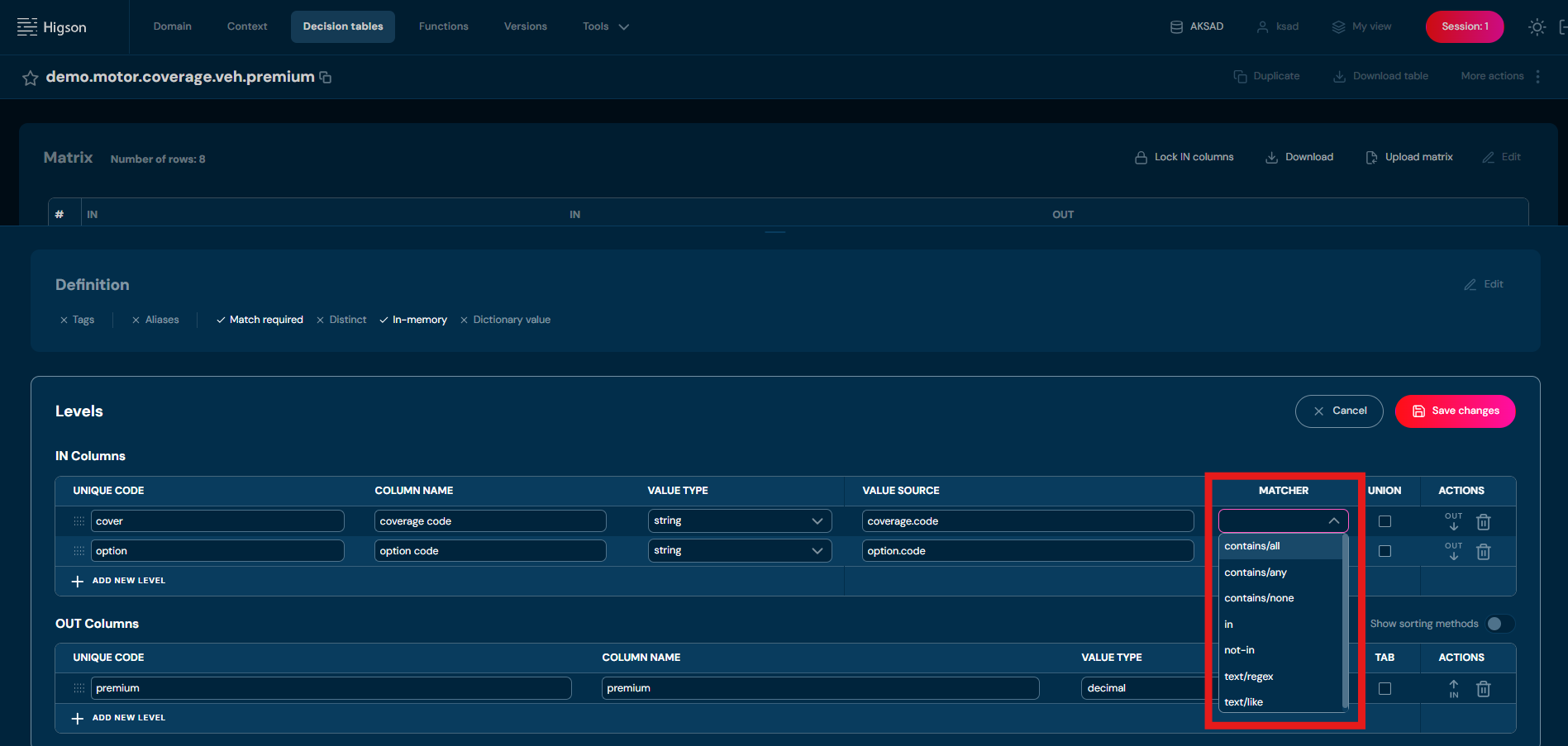
Matchers are divided into three main groups:
- Between
- Contains
- Like
Between Group – Defining Numerical Ranges#
These matchers allow the definition of a numerical range in a matrix column:
- between/ii – closed interval on both sides.
- between/ie – left-inclusive, right-exclusive interval.
- between/ei – left-exclusive, right-inclusive interval.
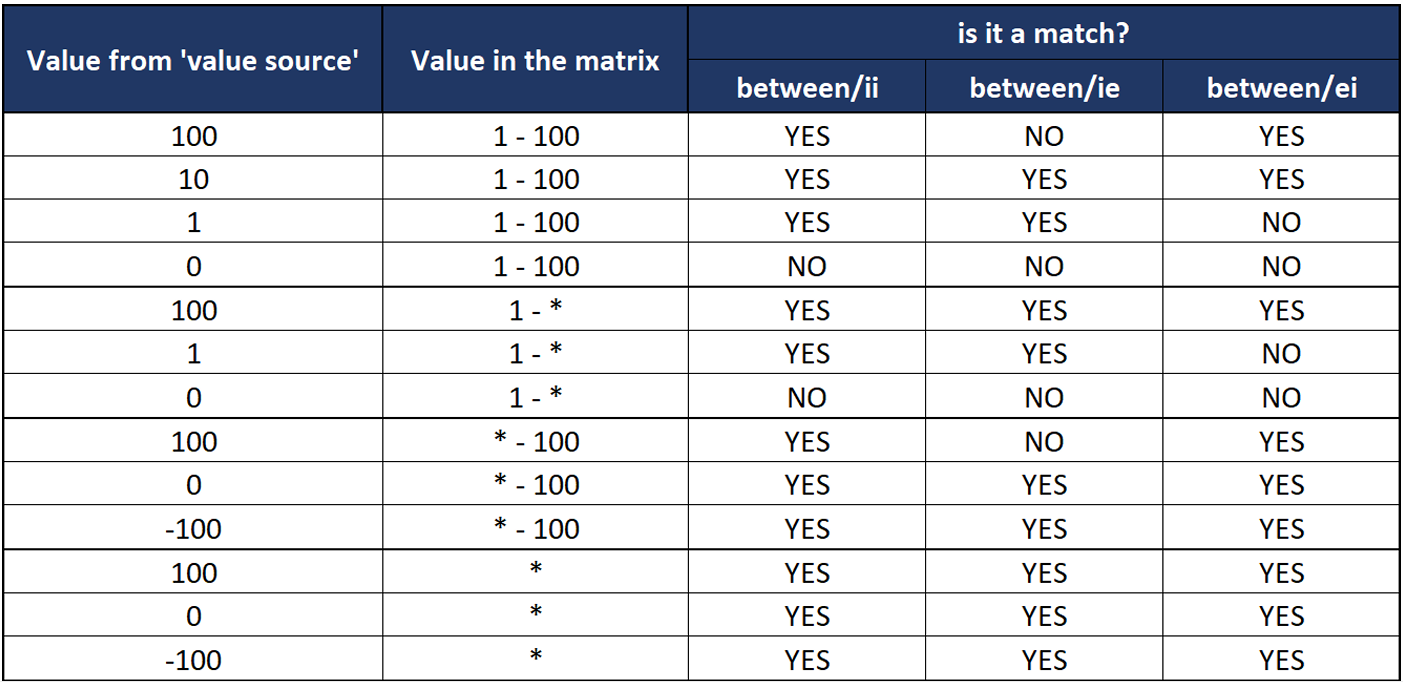
Wildcards and ranges in matrix cells for “Between” matcher columns#
- * — wildcard; matches any value.
In Best Match mode it’s only considered if no exact match exists in other rows.
Use one of two notations for unbounded ranges:
- * — * unbounded range (−∞ … +∞); matches any non-null value.
- * + checkbox — also an unbounded range, but null-safe; it matches any value including null.
Tip: Use * + checkbox for a default/fallback row that should also handle missing input; use *-* when null is handled elsewhere.

Contains Group – Matching Based on Value Sets#
This group enables the introduction of value lists into matrix columns and allows values to be compared as sets:
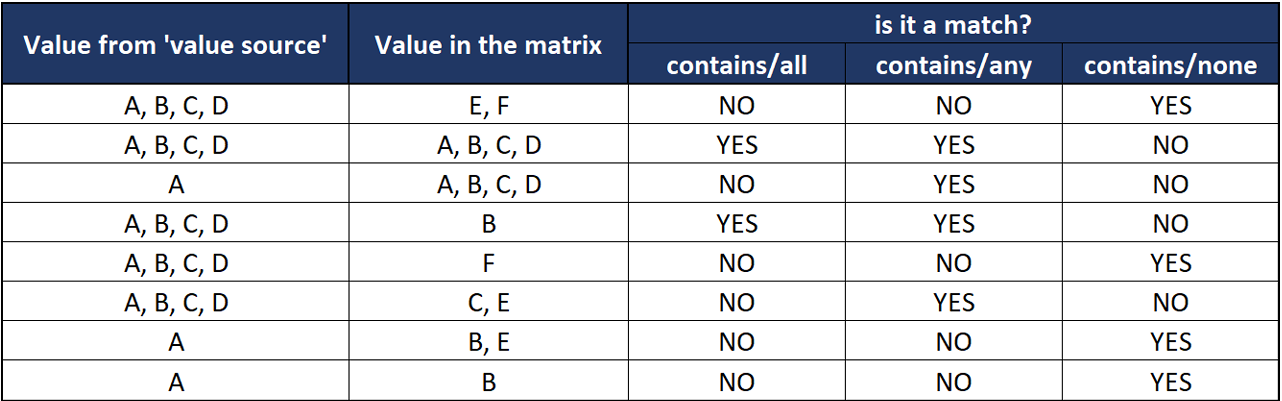
- contains/all – checks whether all values in the matrix exist in the dataset from the data source (comparison direction matters!).
- contains/any – checks whether the two sets have at least one common element.
- contains/none – checks whether the sets are disjoint; if they are, the matcher returns a match.
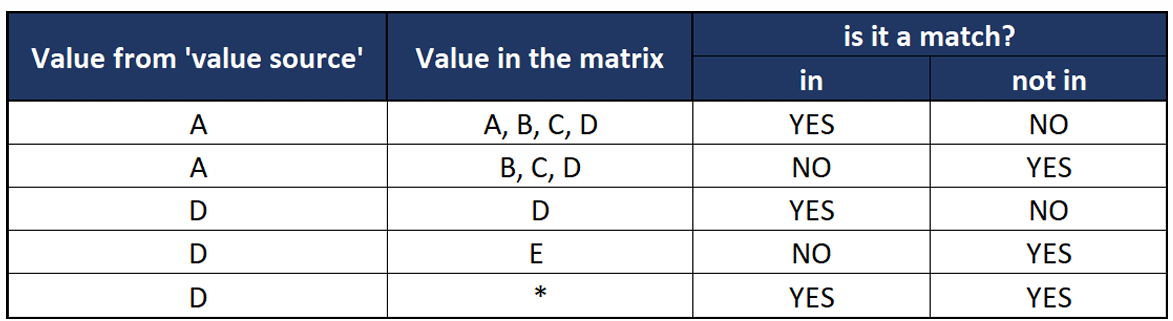
- in / not in
- in – checks whether the value from the data source is present in the list of values in the matrix cell.
- not in – checks whether the sets are disjoint. Contains matchers assume that:
- The value source is a set of values (e.g., A, B, C, D).
- The value in the matrix cell also represents a set.
- The matcher verifies whether the value source set has a common part with the matrix set.
In / Not In matchers assume that:
- The value source is a single value (scalar).
- The value in the matrix cell represents a set.
- The matcher checks whether the value source belongs to that set. Performance Considerations: The contains and in/not in matchers produce the same result. Contains matchers are more general, so if performance is a priority, use in/not in whenever possible.
Like Group – Pattern Matching#
This group allows for pattern-based text matching:
- text/like – compares a string value from the data source with the string value in the matrix. The values in the matrix can use asterisk as a wildcard character.
- text/regex– checks whether the value from the data source matches the regex pattern stored in the matrix cell.
When to Use Matchers?#
Matchers are useful when you need to precisely define how values in a column should be interpreted, such as:
- Value Ranges (Range)
- Lists of Values (List)
- Pattern Matching (RegEx, Like) Each matcher can be defined separately for every IN level in a decision table, providing flexibility in business logic modeling.