Each column of any decision table has a specific type. This type is defined when creating a decision table.
There are many built-in types available:
stringdecimalintegerdatedatetimeboolean
However, sometimes we need to limit the values that can be entered by the user. In this case we need to be able to define an enumeration of allowed values or in other words a dictionary.
Higson has the answer to this need - a Dictionary mode.
Creating a Dictionary Table#
To create an enumeration of allowed values,
we just need to create a decision table and select the Dictionary value checkbox:
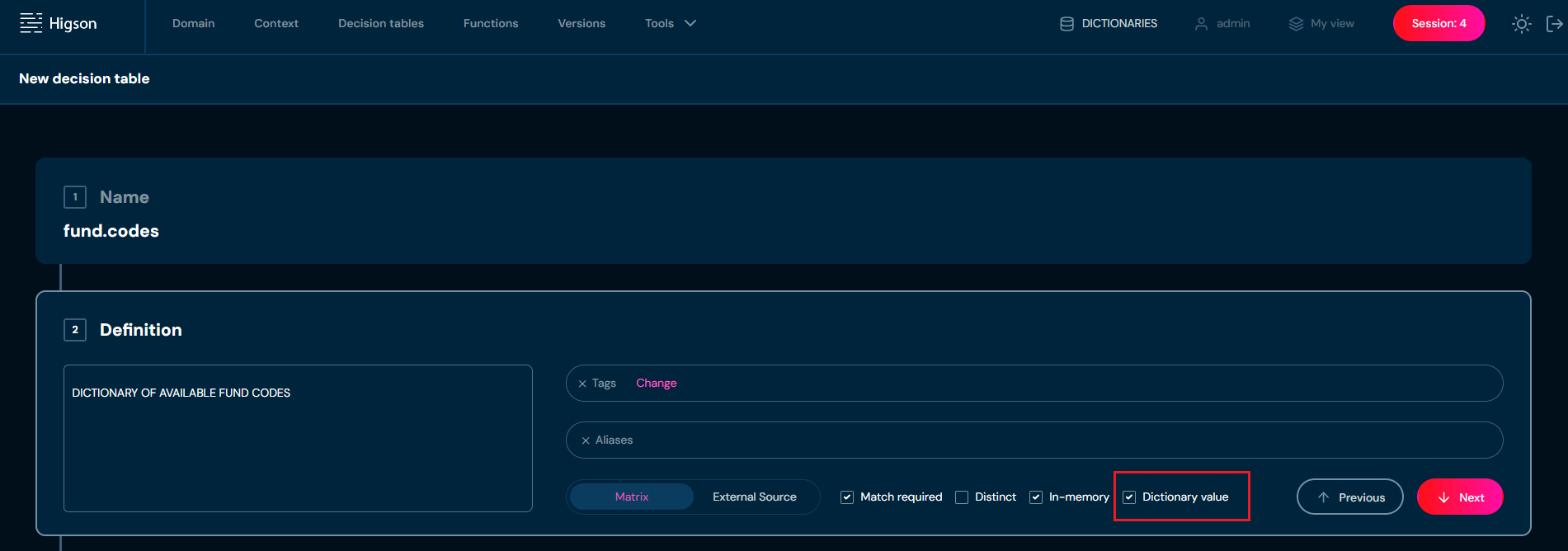
Then we define a single OUT column and enter (or import from the Excel file) all dictionary values.
Let’s say we need a dictionary of available fund codes.
So we can create a decision table called fund.codes (for example)
and enter all valid fund codes into a single OUT column, like in the image below:
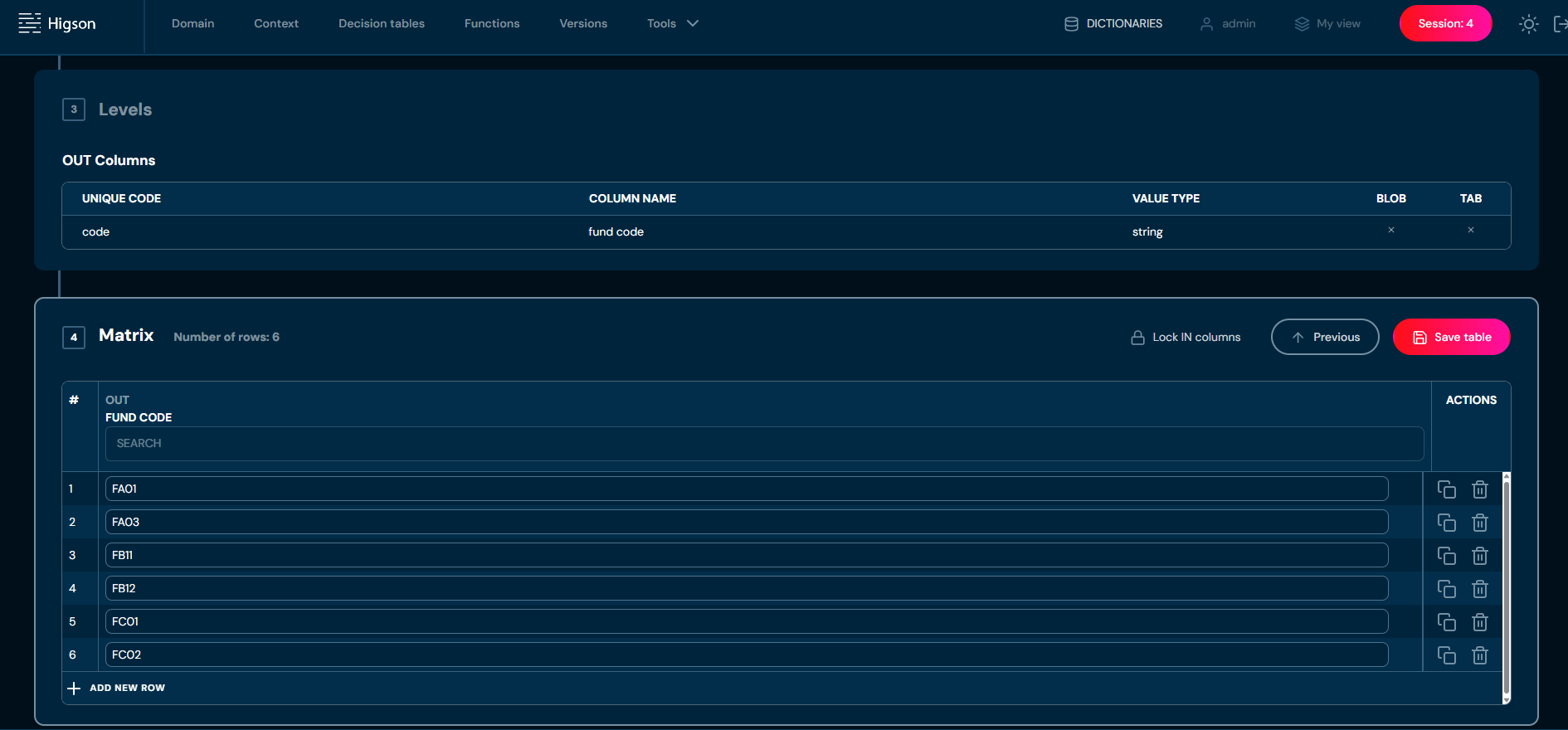
By creating this dictionary decision table we just defined new type available for other decision tables.
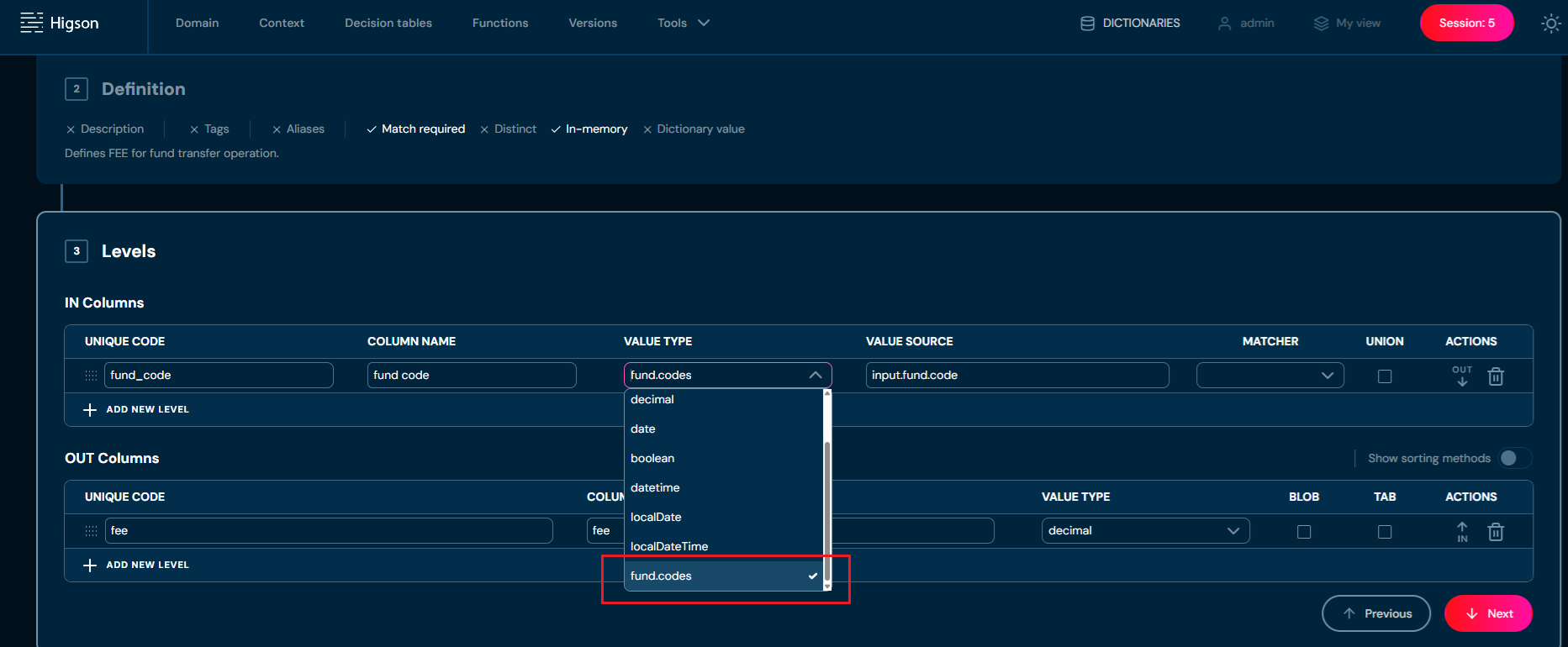
Now, we can create an ordinary decision table and define a column type to be fund.codes.
Using a Dictionary Table#
Once we have created a dictionary we can use it in another table.
The following image shows an example decision table called fund.transfer.fee
that uses IN column with dictionary type fund.codes:
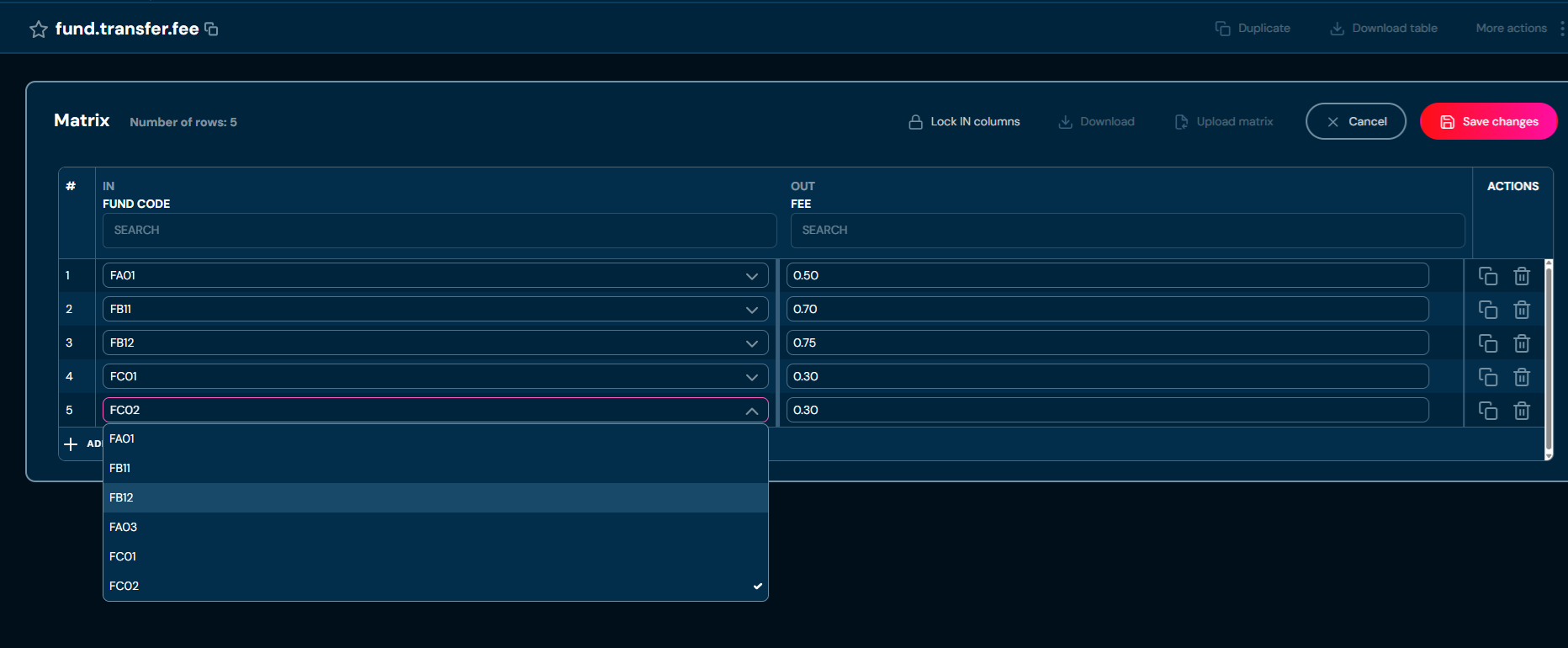
From now on, only codes defined in the fund.codes dictionary can be entered into this column:
Below is a list of restrictions related to the use of dictionary decision tables:
- dictionary table must have exactly one output column
- dictionary table cannot be deleted if it is used by another decision table
- dictionary table cannot be defined as an external source
- dictionary table cannot be attached to any region
- dictionary table cannot be unmarked as a dictionary if it is used